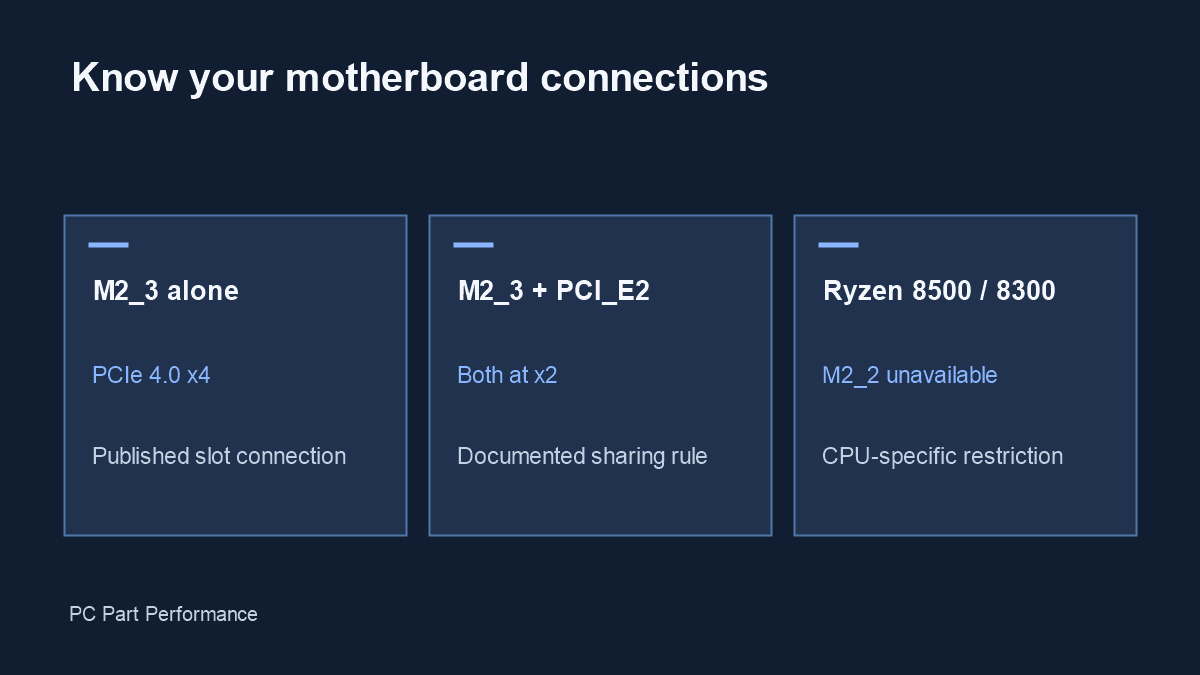
On the MAG B650 TOMAHAWK WIFI, M2_3 and PCI_E2 share bandwidth when both are occupied. PCI_E2 is listed at up to x2; it does not become an x4 slot when the SSD is removed.
Follow the slot names, not their appearance
A long expansion slot is not necessarily wired with the same number of lanes as the graphics-card slot. Start with the exact board model and its specification page. Locate the printed slot labels on the board before deciding where to install a storage adapter, capture card or network card. Similar names in another motherboard family are not interchangeable rules.
MSI lists PCI_E2 as a chipset-connected PCIe 4.0 slot with up to two lanes. M2_3 is listed with up to four lanes when used on its own. Occupying both changes the M2_3 connection to two lanes, while PCI_E2 remains at two. This describes the connection, not a measured file-copy speed.
Source: MSI — B650 TOMAHAWK specifications.
Check the CPU group before adding a drive
The same specification page states that M2_2 is unavailable with Ryzen 8500 and 8300 processors. An unused socket on the board is therefore not enough to establish that a drive will work. Confirm the exact processor, BIOS support and drive interface as separate checks. The tool below covers the stated sharing rule, rather than every possible board restriction.
If you already own the PC, photograph the slot labels before changing anything. Record which drives are in each socket, rather than describing them only as the first or second SSD. Disconnect power before opening the system and follow the board manual for handling and installation.
Source: MSI — B650 TOMAHAWK specifications.
Decide whether the shared link matters
An SSD used for a game library and a capture card used only occasionally can have a different workload from a drive receiving sustained video recordings. Check the expansion card’s required link and your workload before rearranging parts. A link-width reduction does not establish an exact percentage loss in application performance.
After making a change, confirm that the expected devices appear in the operating system and that important files remain accessible. Test with the workload that matters to you. If a device is missing, revisit the slot/CPU restriction first; do not immediately assume the SSD is faulty.
Keep a build record
Save the board model, CPU, BIOS version, slot layout and relevant manual revision with your build notes. That record makes the next storage upgrade easier and gives a support technician useful evidence. The general PC builder checks indexed compatibility, while this board-specific page explains one documented topology in greater detail.
Evidence and updates
Sources checked October 4, 2026. Manufacturer statements are specifications, not our measurements. Material corrections appear in the data changelog.
- B650 TOMAHAWK specifications — slot topology; CPU-dependent storage