AM4 CPU upgrade or AM5 replacement? Compare the whole platform
An AM4 drop-in candidate can preserve a supported board and DDR4 kit; an AM5 route changes the platform and requires DDR5. Compare complete supported configurations, including keeping the current PC. The CPU price alone cannot establish the cost or usefulness of either upgrade.
Research and writing prepared with AI assistance. Research-based guidance; no site-owned hardware testing is claimed.
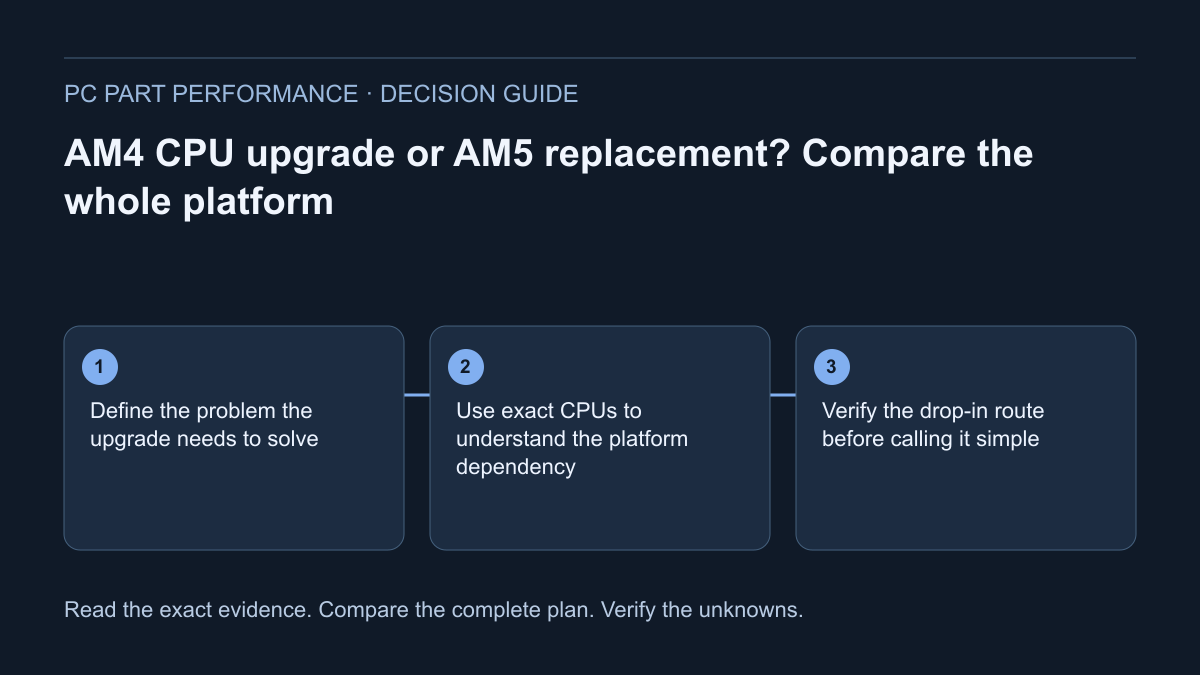
Define the problem the upgrade needs to solve
Write the current CPU, board revision, memory kit, GPU, cooling, PSU and storage. Then name the observed limitation: an application that takes too long, a repeatable game-performance problem, insufficient capacity or a missing feature. Keep the observation and test conditions; the age of the platform is not a diagnosis.
Include changing nothing as a route. A configuration or software issue may deserve investigation before a parts order. If you cannot demonstrate that the current platform fails a requirement, a newer socket name alone does not establish value. The upgrade planner should preserve the existing inventory and the evidence that makes a proposed replacement relevant.
Use exact CPUs to understand the platform dependency
AMD’s live official support record identifies the Ryzen 7 5700X3D as AM4/DDR4, requiring discrete graphics and listing no included boxed thermal solution. AMD’s Ryzen 5 7600 product record identifies AM5/DDR5, integrated Radeon graphics and a Wraith Stealth solution for the listed boxed package. These are illustrative model facts, not a recommendation that one always replaces the other.
The dependency matters more than a two-CPU price subtraction. An existing DDR4 kit does not become the memory for the specified AM5 route. A shared AM4 socket still does not establish whether your exact board and installed BIOS support the 5700X3D. Check package contents and applicable board outputs instead of borrowing another seller’s photo or bundle description.
| Documented field | Ryzen 7 5700X3D | Ryzen 5 7600 |
|---|---|---|
| Socket | AM4 | AM5 |
| Memory generation | DDR4 | DDR5 |
| Graphics field | Discrete graphics card required | AMD Radeon integrated graphics |
| Listed boxed cooling | Not included | Wraith Stealth |
| Essential unresolved check | Exact board and minimum BIOS support | Exact AM5 board, BIOS and DDR5 configuration |
AMD — Ryzen 7 5700X3D support specifications · AMD — Ryzen 5 7600 specifications
Verify the drop-in route before calling it simple
Read the exact motherboard CPU-support entry and applicable firmware notes. Record the minimum supported version and the currently installed version where known. If the seller or owner cannot establish the latter, label it uncertain. A board-family list or a CPU’s chipset list is not the same as an exact support entry.
Include the cooler, mount, graphics output path and any preparation required to update firmware while the current CPU still works. If support cannot be established, do not buy around a presumed drop-in upgrade. Model-specific documentation can make a reuse route attractive, but “keep the board” is an outcome of checks rather than a shortcut around them.
ASUS — How to query CPU and memory support lists · MSI — How to update BIOS
Count the complete replacement route
The platform worksheet should include CPU, board, memory, cooling and mounting accessories, installation extras, and any other required change. Mark owned reusable parts separately from new spending. A reused case, drive or PSU still needs its own dimensional, connection and condition checks; an asset you already own is not automatically compatible.
Use actual CAD or USD quotes with a consistent scope and date. Missing prices stay visible, and taxes or delivery exclusions stay beside the total. Do not call a partial subtotal the cost of moving to AM5. This article supplies no current offer set or exact ready-to-buy bill of materials, so a price-performance verdict is intentionally unresolved.
Require workload evidence for the performance decision
Compare original tests only when the games or applications, settings and relevant hardware conditions match your intended use. A cache size, clock or core-count difference cannot establish a universal upgrade gain. A measured result on a different GPU or rendering mode may not answer the same question.
If comparable evidence is missing, state the likely constraint as a hypothesis and preserve the uncertainty. Do not supply a bottleneck percentage or inferred FPS uplift. The specification and cost work can still be useful: it tells you what the change requires and what evidence would justify it. Keep that distinction visible when sharing the plan.
Choose the route that solves the stated requirement
A supported AM4 change can make sense when it solves a documented need while retaining useful components. A replacement platform can make sense when its documented capabilities or supported workload evidence justify the additional purchases. Keeping the PC can make sense when neither expense addresses the observed problem. These are conditions, not universal rankings.
Save each alternative as a complete parts revision with reuse choices, quotes and remaining checks. If you will buy in stages, open the phased-upgrade guide and verify every intermediate machine. Preserve a backup and legitimate recovery access before hardware changes. The outcome should explain what is kept, what changes and why the whole expense is justified.
Apply this to your PC
Sources and scope
- AMD — Ryzen 7 5700X3D support specifications
AM4, DDR4, discrete graphics required and no included boxed thermal solution. The old desktop product URL returns 404; this live official support page includes the model specification table. No installed-board BIOS is inferred. Source inspected 2026-10-13.
- AMD — Ryzen 5 7600 specifications
AM5, DDR5, AMD Radeon integrated graphics and Wraith Stealth listed for the boxed package. Package contents, board outputs and exact firmware support still require their own checks. Source inspected 2026-10-13.
- ASUS — How to query CPU and memory support lists
Locate the exact board and applicable CPU/memory support resources. Method guidance does not establish a minimum BIOS version for an unspecified board. Source inspected 2026-10-13.
- MSI — How to update BIOS
Exact-model official download and M-FLASH procedure; protect USB contents and do not interrupt the update. Use the exact board instructions. This is not a generic firmware file or a universal recovery method. Source inspected 2026-10-13.
- Microsoft — Find your BitLocker recovery key
Recovery access after relevant security or hardware changes; preserve the legitimate recovery key. A key is sensitive. Do not paste it into site forms, shared builds or analytics. Source inspected 2026-10-13.