DDR is commonly used for system memory, GDDR for graphics memory, and HBM for high-bandwidth accelerator memory. They are different memory interfaces and packaging approaches; equal capacity does not make them interchangeable.
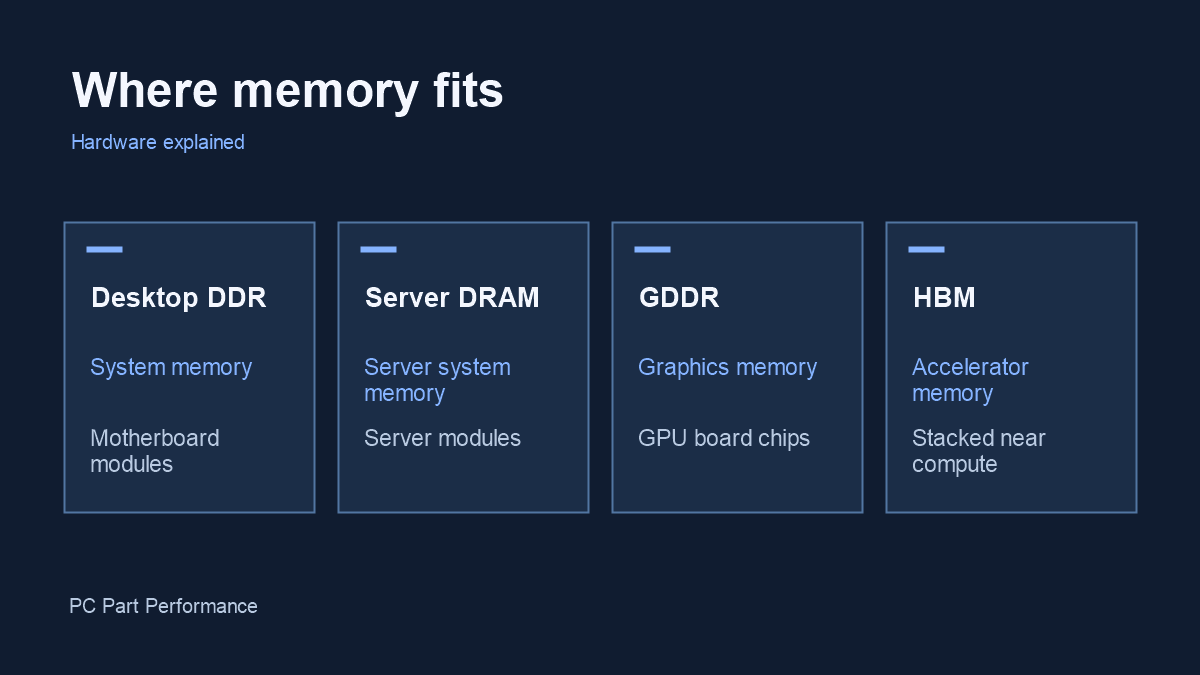
| Memory | Typical role | Where it sits |
|---|---|---|
| Desktop DDR4 / DDR5 | System memory for applications and the operating system | Modules connected to the CPU through the motherboard |
| Server DRAM | System memory for server workloads | Server memory modules; supported types vary by platform |
| GDDR | Graphics memory for many desktop GPUs | Chips on a graphics board near the GPU |
| HBM | High-bandwidth memory for supported accelerators | Stacked memory integrated closely with the compute package |
Start with where the memory sits
In a desktop PC, the RAM modules installed in motherboard slots provide system memory. A discrete graphics card has its own memory connected to the GPU. A high-end accelerator may use stacked HBM packages close to its processor.
This location affects how the rest of the system reaches the data. It also explains why adding desktop RAM is not the same upgrade as buying a graphics card with more VRAM. The application and platform determine what can be moved or shared and at what cost.
DDR and server memory
DDR4 and DDR5 are generations of double-data-rate memory interfaces. Their modules require a compatible motherboard and processor. Server memory is not simply consumer RAM with a larger number printed on it: the supported module type and platform requirements need checking.
For a PC upgrade, identify the DDR generation, capacity, number of modules and supported configuration. Do not select a server module based solely on capacity or physical resemblance. Use the platform documentation before comparing speed ratings.
GDDR and graphics cards
GDDR is designed for high bandwidth in graphics and other demanding workloads. It is typically attached to the graphics card, rather than sold as a desktop DIMM upgrade. The memory generation, data rate and interface width all help describe the card’s memory system.
Capacity and bandwidth answer different questions. Capacity is how much data can fit; bandwidth is how quickly it can move. Neither specification alone establishes game performance. The GPU, workload and software behavior still matter.
HBM and AI accelerators
HBM stacks memory dies and uses a wide connection to the processor. Samsung and Micron position it for bandwidth-intensive accelerator workloads. It is not a plug-in replacement for a DDR5 kit or a GDDR chip on an existing consumer board.
The packaging and manufacturing requirements also differ. Demand for one memory category can matter to a supplier’s overall business, but it should not be translated into a one-for-one shortage claim for another category. An explanation needs product-specific evidence.
A checklist for reading memory claims
Ask which product is being discussed, whether the number describes capacity or bandwidth, and whether it applies per chip, per accelerator or to a complete system. Check the units: GB and GB/s do not measure the same thing.
Then ask what decision the claim helps you make. For a desktop build, compatibility and workload requirements come first. For a market story, the relevant evidence includes the memory category, date and source of the supply statement. Keeping those questions separate prevents a dramatic headline from becoming an unsuitable purchase.
Inside an AI data center: NVIDIA’s AI factory overview
NVIDIA. Manufacturer or independent companion video; the creator’s views are their own.
Watch video on YouTube (opens a new tab)