Memory makers report strong AI-related demand and constrained supply, but a shortage of HBM is not the same as a shortage of the DDR4 or DDR5 kit your PC needs. Check the exact memory type, local stock and total upgrade cost before acting on a headline.
| Evidence | Useful for | Does not establish |
|---|---|---|
| Manufacturer supply forecast | Understanding industry conditions | Stock at your local retailer |
| An exact kit in stock | Availability of that SKU now | A worldwide shortage or recovery |
| Repeated quotes for the same SKU | Tracking your actual upgrade cost | The cause of every price change |
What the current evidence says
Micron’s June 24, 2026 results describe rapidly growing customer demand and increased investment in memory technology and supply. Its accompanying management remarks forecast tight DRAM and NAND conditions beyond 2027. Those are company statements and forecasts, not a guarantee about the price or availability of a particular retail kit.
The useful distinction is between supply across an industry and stock at a shop. A store can have ample inventory even while suppliers have more orders than they can fill. Conversely, an older kit can disappear from one retailer without proving a worldwide shortage. This article is an explanation of the published evidence, not a live inventory survey.
Which memory is actually under pressure?
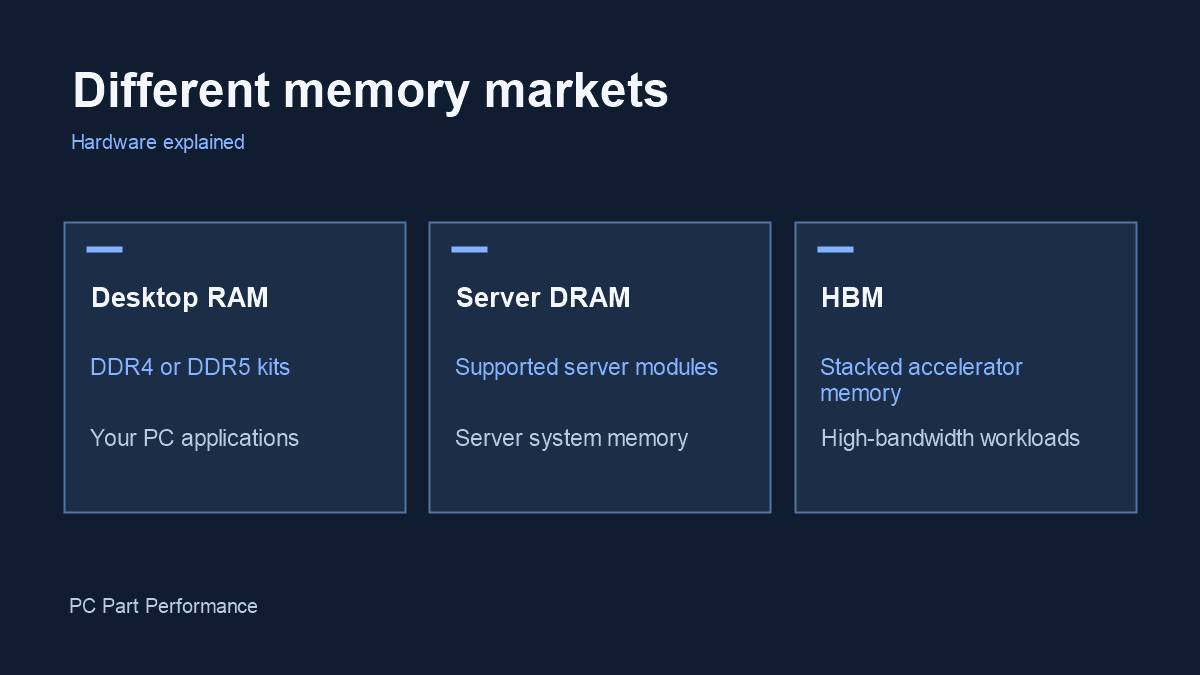
HBM is a specialized stacked memory used alongside high-end accelerators. Desktop DDR4 and DDR5 are different products. Server memory modules have their own capacity, reliability and platform requirements. NAND is the non-volatile flash used in SSDs; it is not RAM.
These markets involve overlapping manufacturers and investment decisions, but the products are not interchangeable. You cannot put HBM into a desktop DIMM slot. Nor does a headline about server modules tell you whether a specific 32 GB desktop kit is in stock. Separate the memory category before comparing claims.
How to assess a RAM purchase
Start with the motherboard’s DDR generation and supported memory configuration. Then look at your workload: applications running out of usable memory need a different solution from games limited by the graphics card. Buying a faster kit cannot compensate for an incompatible platform.
Compare the same capacity, module count, speed profile and warranty across stores. Record the date, currency, shipping and whether the seller is the retailer or a marketplace vendor. If only one premium color or RGB edition is expensive, compare an equivalent supported kit before concluding that every option has risen.
A practical upgrade decision
For an urgent replacement, compatibility and dependable availability may matter more than waiting for a price decline. For an optional upgrade, set a budget and compare the benefit with other changes to your PC. Do not purchase an unsupported kit simply because a shortage headline creates pressure.
Keep a short record of quotes for the same SKU rather than comparing today’s sale with an unrelated launch price. For a large capacity change, check whether replacing an existing kit is more sensible than mixing independently sold modules. Manufacturer memory support lists and BIOS guidance remain relevant even when stock is tight.
What would change this assessment?
New manufacturer results, production updates and a documented series of retail prices could change the picture. We have not measured a market-wide consumer RAM price index, so we do not attach a percentage increase or a promised recovery date.
When reading forecasts, check when they were made and what products they describe. A supply forecast for a vendor’s customers should not become a precise prediction for your next purchase. The next useful step is a compatible shortlist with current offers, not a guess about the whole market.
Inside an AI data center: NVIDIA’s AI factory overview
NVIDIA. Manufacturer or independent companion video; the creator’s views are their own.
Watch video on YouTube (opens a new tab)